White balance is set at the camera rather than in the color settings. Verana carries it on
two toolbar tools, WB and TINT, both driven by the main dial in the same way as the
exposure tools. Nothing under Image Processing changes them, so the balance in force is
always the one set on the toolbar.
The two tools are present in all three exposure modes. The exposure mode decides which parts of the exposure belong to the camera and which belong to you, as described in Chapter 3, and white balance sits outside that division entirely.
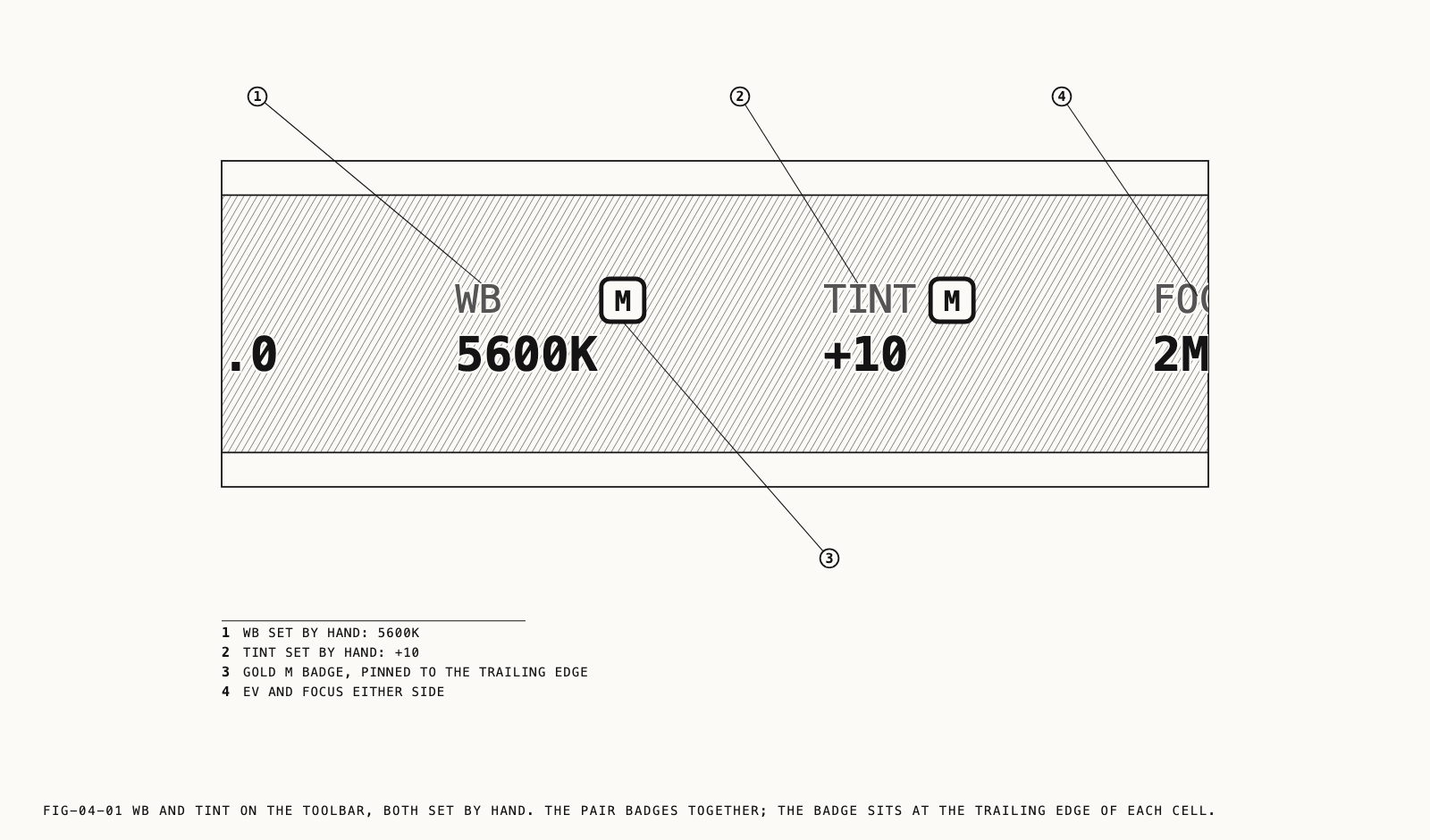
Where to find them: the WB and TINT tools on the camera screen toolbar.
4.1 The Automatic Setting
Both tools start on automatic and remain there until you move them. The camera reads the
light continuously and balances to it, and the tools report what it has arrived at: WB
gives the color temperature in kelvin, TINT gives its own value as a signed number. Both
readings follow the light as it changes.
A tool the camera is setting carries no badge. A gold M beside the tool’s name means the
value has been set by hand and is being held. The badge tells you at a glance whether the
balance can still move, which matters most when a scene mixes daylight with a practical
source, or when a subject moves between the two.
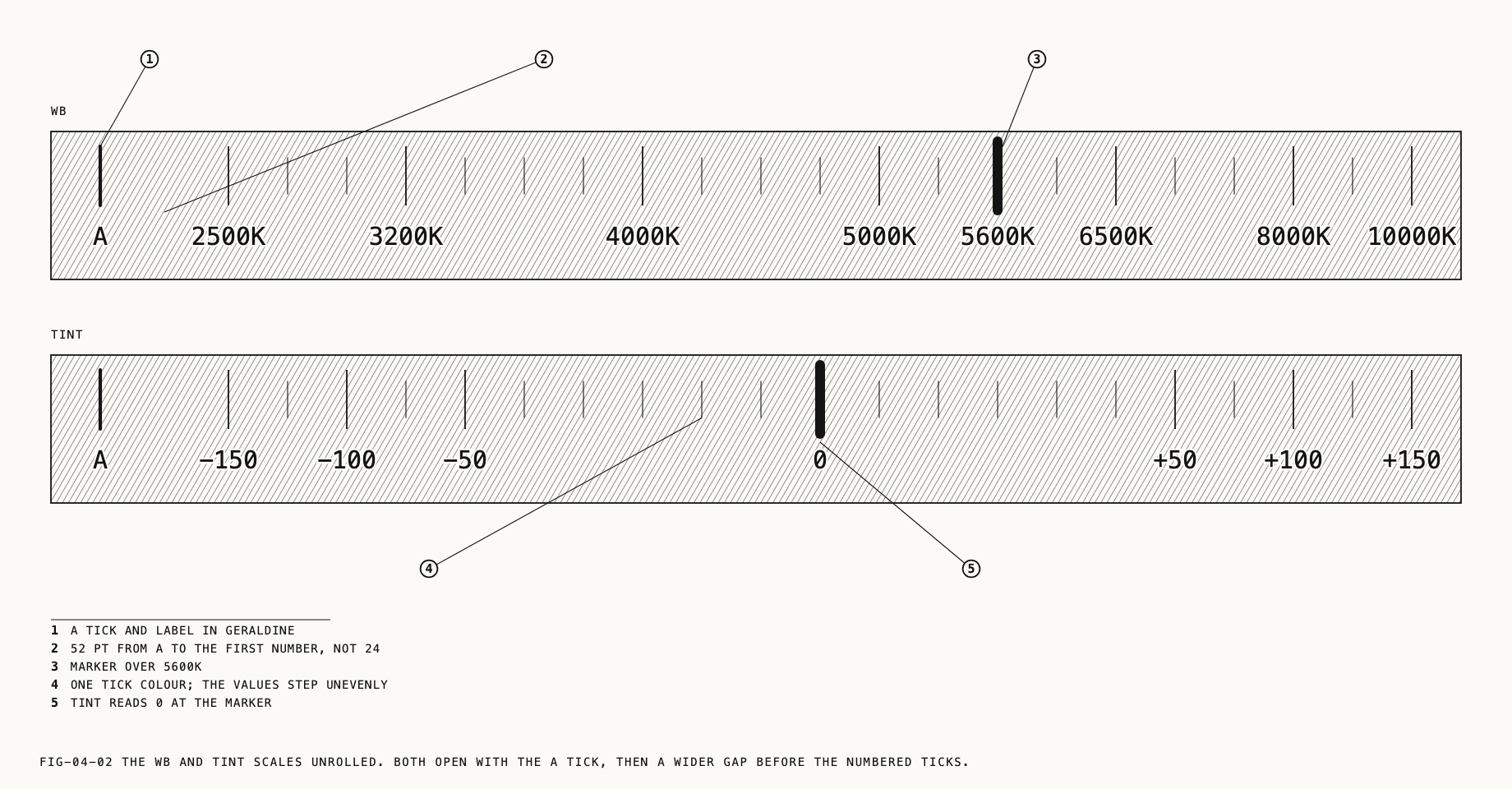
Automatic is a position on the dial rather than a separate mode. Both scales open with an
A tick at their leading end, drawn in the accent color and set apart from the numbered
values by a gap, so it is reached by running the dial to the end of its travel. Returning
either tool to A hands the balance back to the camera and clears the badge.
4.2 Color Temperature
WB runs from 2500K to 10000K, with the scale labeled at 2500, 3200, 4000, 5000, 5600,
6500, 8000 and 10000. The intermediate ticks are spaced more closely at the warm end,
where a given number of kelvin makes a larger visible difference, and open out toward the
cool end where it makes less.
The labeled positions cover the light most work is done in. 3200K is tungsten, 5600K is daylight, and the values above run through overcast and into open shade. Setting a temperature by hand is what makes a sequence of shots match. Left automatic, each frame carries whatever the camera read at the moment it was taken, and shots that were lit the same way can still cut together badly.
4.3 Tint
TINT runs from -150 to +150, labeled at -150, -100, -50, 0, +50, +100 and +150, with 0
neutral. Its ticks are finest around the center, where small corrections are made, and
coarsen toward both ends.
Tint works across the axis color temperature cannot reach. Temperature moves the balance between warm and cool; tint moves it between green and magenta, which is the cast left by fluorescent and some LED sources after the temperature is already correct. Negative values move toward green and positive values toward magenta, the same direction the control runs in most cameras and editors. Most scenes need nothing from it. The ones that do are usually lit by fixtures rather than by daylight.
4.4 The Two Tools Move Together
Temperature and tint are one control split across two tools. Setting either one by hand fixes both: the tool you moved takes the value you gave it, and the other holds whatever the camera had at that moment. Both badges turn gold together, and from that point neither value moves until you move it.
The same applies in reverse. Returning either tool to A returns both to automatic, so
there is no state in which one is held and the other is still being metered. A correction
made on TINT alone therefore fixes the temperature as well, at whatever the camera had
reached.
Note: These are the ranges Verana offers on the dial. The camera and the recording format in use may not reach every value, in which case the balance settles at the nearest one it can hold and the dial moves to match. The reading you are shown is always the value in force.
4.5 What Is Remembered
White balance and tint are held separately for photo and video, like the exposure settings. Switching capture mode restores what that mode was last left on rather than carrying one across to the other.
A value set by hand survives more than the session. It is kept across lens changes,
format and resolution changes, and relaunches. Automatic is itself remembered, so a tool
left on A opens on A.
Custom modes carry white balance and tint among the settings they store, so a mode recalled
from C1, C2 or C3 brings its own balance with it. Custom modes are covered in
Chapter 23.
4.6 Captures That Hold the Balance
Some recordings hold white balance for their duration, including when the camera was the one setting it.
A ProRes RAW recording holds it for the length of the clip. If the camera was balancing automatically, Verana fixes the value in force at the moment recording starts and returns the tool to automatic when the recording ends. Nothing is required of you beforehand. ProRes RAW is covered in Chapter 10.
An interval run can hold white balance from its first frame in the same way, alongside the exposure it holds, so a sequence assembled from hundreds of frames does not shift color part way through. Interval runs are covered in Chapter 9.
Other recordings leave the balance live. A value you have set by hand is recorded as set in every case.